
Notion is a general-purpose workspace that combines docs, databases, and wikis into one tool. Notion itself announced passing 100 million users in September 2024.
Plenty of people use it for goal tracking too.
Retic, on the other hand, is built for exactly one thing: tracking goals, habits, and tasks.
The two were designed to solve different problems from the start, and that difference shows up clearly once you’re tracking goals day to day.
What Notion is good at
Notion’s strength is flexibility.
You can build any property you want, move freely between documents and databases, and extend it to things that have nothing to do with goal tracking, like a team wiki or meeting notes.
Turning a goal list into a database with a nicely arranged gallery view is only possible because Notion lets you shape it however you like.
Where the difference shows up in goal and habit tracking

The problem is that flexibility doesn’t help much with something like “progress updates automatically when you complete a task.”
As of a June 2026 review, Notion supports hierarchical goal structures at a basic level (parent-child pages), but there’s no feature that automatically calculates a parent item’s progress when a child item is completed.
Habit tracking isn’t built in either. Recurring habits mean manually duplicating a template or creating a new item each time.
Guides on building a Notion goal tracker commonly note that you first need to learn databases, relations, rollups, and formulas, and that just setting it up can take 30 to 60 minutes.
| Notion | Retic | |
|---|---|---|
| Hierarchical goal structure | △ (basic page hierarchy) | ✓ |
| Habit tracking | ✕ | ✓ |
| Automatic progress on completion | ✕ | ✓ |
| Different measurement per goal | Manual setup | ✓ (milestone / numeric / done-or-not, etc.) |
| Free-form docs & wiki | ✓ | ✕ |
Based on a review conducted in June 2026. The competitive landscape is reviewed on an ongoing basis.
To calculate progress in Notion, you have to design your own rollup and formula properties, and rewire them every time your subitem structure changes.
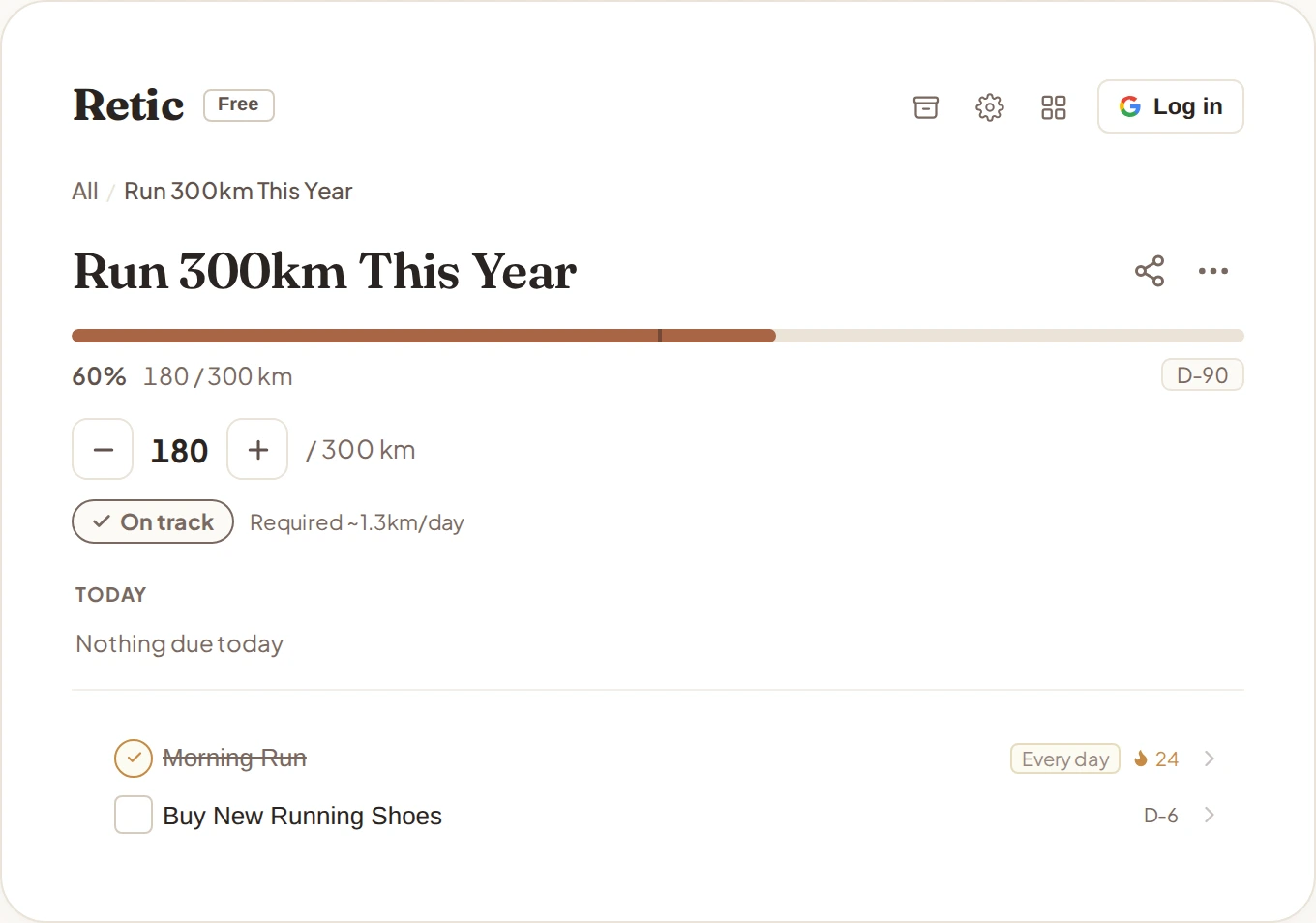
In Retic, you just nest smaller goals, tasks, and habits under a goal, and one checkmark automatically updates progress all the way up.
Goals can also be measured differently from each other, as a running tally, a number, or a simple done-or-not, which isn’t something you get by default.
How would you track a habit in Notion at all
Notion has no dedicated habit-tracking feature, so recurring habits mean faking it with a database row per date and a checkbox property you tick every day.
A recurring-template button saves you from creating each new row by hand, but you still tap the checkbox yourself every time, and counting a streak means designing your own COUNT-style formula.
Miss a single day and that formula’s reset logic often needs reworking.
Add a few more habits and you end up splitting them into separate databases or widening the table, and either way it gets harder to manage.
Worst of all, a checkbox property only ever records yes or no, so a habit like “drink 2L of water,” which only feels real as a running number, or “no late-night snacking,” which is kept by not doing something, has no natural way to be represented at all.
We go into the limits of measuring every habit with a single checkmark in more detail in our Retic vs Streaks comparison.
Does buying a Notion template fix this
Notion’s template marketplace sells plenty of goal-tracking database templates, but a template only builds your initial structure. It doesn’t remove the maintenance problem.
Add one field or restructure a subpage without fully understanding the rollup-and-formula system the template creator built, and a progress calculation that looked fine on the surface quietly breaks.
Noticing that it broke is still on you, so you end up repeating a smaller version of the same learning curve every time you buy a new template.
Moving goals you already built in Notion

You don’t need to export your whole database.
It’s faster to move over only the top-level goal you’re actively working on and whatever subitems are still open, and leave anything completed or archived exactly where it is in Notion.
Say a “job search” goal has a finished “write resume” subitem and an open “study for interviews” one: leave the resume item as a record in Notion and start the interview-study item fresh in a new tree, rebuilding progress from there.
Keeping the Notion page around purely as reference (meeting notes, linked docs) while doing all the actual execution and checking in the new tree tends to be the least friction way to move.
WARNING Don’t delete the Notion original right away
Keep it around for at least a month or two as a buffer while migrating, so you can catch any subitem you accidentally missed.
So which should you use
If you’re organizing meeting notes, building a team wiki, or need genuinely free-form document work, Notion is still the better tool for that.
But if you want to set a goal, connect habits and tasks underneath it, and check your progress daily without wiring the math yourself, the tool that doesn’t require you to build that wiring tends to last longer.
Think about how many times a formula in your own Notion goal database has quietly broken on you, and the answer is probably already clear.
Using both together is a perfectly natural choice too: docs and notes in Notion, goal-habit-task execution and progress in Retic.
If gamified motivation appeals to you more, our Retic vs Habitica comparison is worth a look too.